🚀 Getting started
 Your onboarding guide
 Accessing your Qogita seller accountUnderstand your seller portalGet help from Qogita
📦 List your stock
 Upload and manage your price listSet your minimum order value
 Stock list types
 Keep your stock up to dateResponsible Person requirementsSelling electronics
🚚 Your first order
 Fulfil an order
 Packaging requirements
 Shipping dangerous goods
 Regenerate a shipping label
🇬🇧 Selling to the United Kingdom
 Selling to the UK
 Qogita's legal entity and VAT details
 Customs for parcel shipments from Germany
🇺🇸 Selling from the United States
Selling from the United StatesShip your own orders in the United States💶 Get paid
Request your paymentTrack your paymentInvoices and value-added taxGet your supporting documentsGet help with a payment problem⚖️ Claims
Understand a claimDispute a claimClaim costs and returnsKeep your claim rate low📈 Grow
Seller metricsGrowing your businessBulk pricingSelling pre-ordersEnterprise ordersFulfil an order
When a buyer orders from you, we send you an email. Follow the steps for your stock type.
If you sell from the United States, see Ship your own orders in the United States.
Fulfil an On floor order
For stock you have in your warehouse now. You have 3 working days to fulfil the order before it expires.
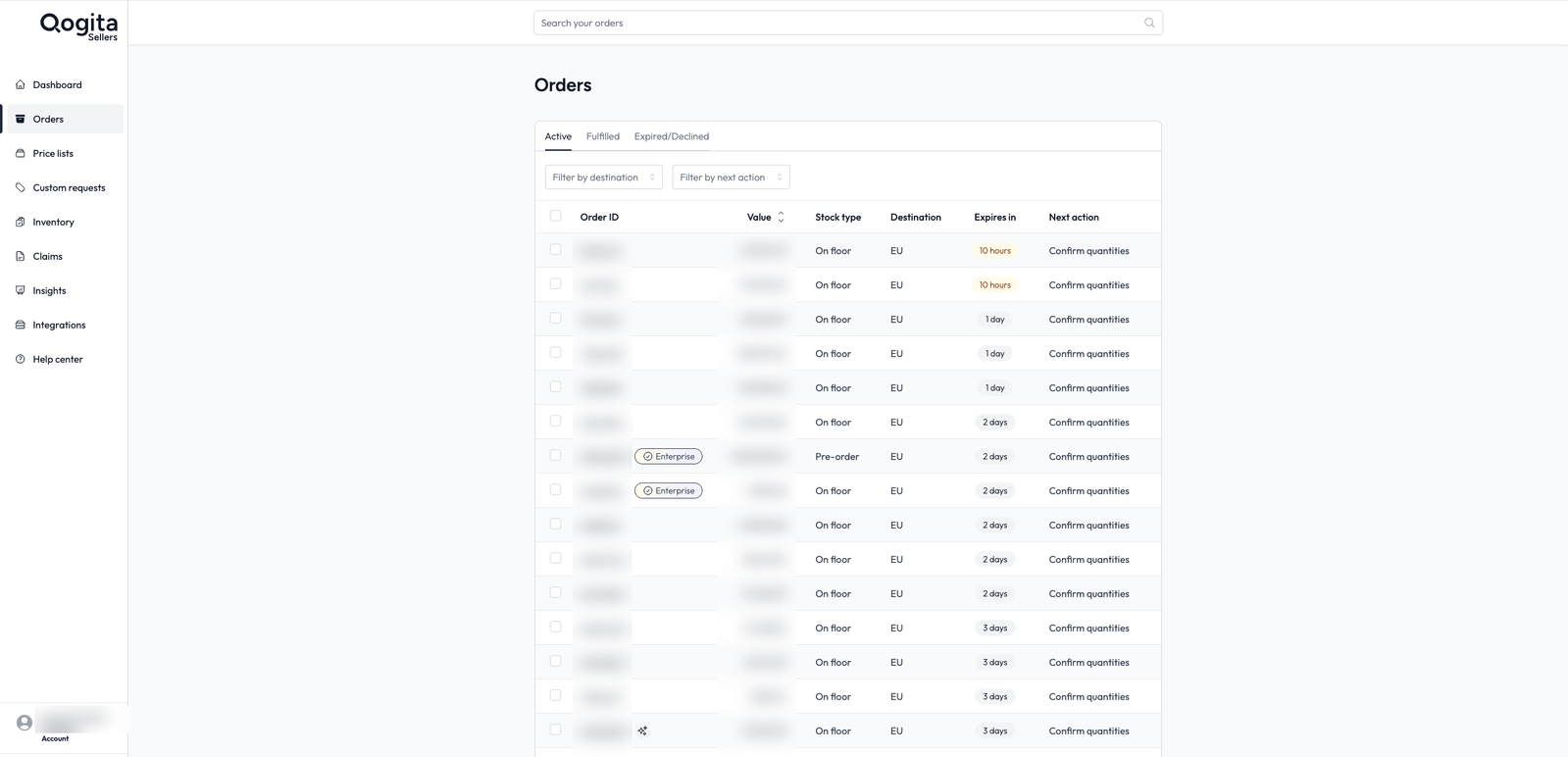
- Open Orders and click the order. Hover over an order to see when it expires.
- Confirm the quantities. If you have less stock, lower the quantity and give a reason. If you have none, decline the order. Both lower your fulfilment rate. See Seller metrics.
- Tell us if the order contains dangerous goods, such as perfumes, aerosols, batteries or cleaning products. See Shipping dangerous goods.
- Enter your package details. Choose boxes or pallets, then enter the length, width, height, weight and number of packages. Add a new package type for each size. See Packaging requirements.
- Check the shipping service and click Confirm and download label(s). Our carrier collects the order on the next working day. Put the labels where they are easy to see.
- Go back to the order page and click Trigger the Payment. See Request your payment.
Fulfil a Pre-order or Incoming order
For stock that is not in your warehouse yet. The order expires based on the lead times you gave us.
- Open Orders and click the order. Download the order lines as an Excel file.
- For a Pre-order, order the products from your supplier straight away. For an Incoming order, check your goods are still on their way. Don't confirm any quantities yet. If your supplier is late or cancels, tell your account manager.
- If you need money upfront for a Pre-order, you can get up to 30% of the order value. Email your proforma invoice to success@qogita.com with the subject "Downpayment request". Add your order IDs, the sale value of each order and the exact amount you want.
- When the stock is in your warehouse, open the order. Change any quantities if needed, give a reason and click Confirm Quantities.
- Tell us if the order contains dangerous goods. See Shipping dangerous goods.
- Enter your package details. See Packaging requirements.
- Check the shipping service and click Confirm and download label(s). Our carrier collects the order on the next working day.
- Go back to the order page and click Trigger the Payment.
If you see an orange banner
The buyer only accepts products with the European Responsible Person on the label, and sometimes only the exact barcode on the order. Tick the box to confirm your products meet this before you confirm the quantities. See Responsible Person requirements.
If a product doesn't meet this, lower the quantity or decline the order and choose the reason "Product does not have Responsible person on label". If a product doesn't match the barcode, use the barcode reason.
Need help with an order?
Email success@qogita.com straight away if you have a problem while packing, the carrier doesn't come or you need to send supporting documents.
If you need a new label, see Regenerate a shipping label.