🚀 Getting started
 Your onboarding guide
 Accessing your Qogita seller accountUnderstand your seller portalGet help from Qogita
📦 List your stock
 Upload and manage your price listSet your minimum order value
 Stock list types
 Keep your stock up to dateResponsible Person requirementsSelling electronics
🚚 Your first order
 Fulfil an order
 Packaging requirements
 Shipping dangerous goods
 Regenerate a shipping label
🇬🇧 Selling to the United Kingdom
 Selling to the UK
 Qogita's legal entity and VAT details
 Customs for parcel shipments from Germany
🇺🇸 Selling from the United States
Selling from the United StatesShip your own orders in the United States💶 Get paid
Request your paymentTrack your paymentInvoices and value-added taxGet your supporting documentsGet help with a payment problem⚖️ Claims
Understand a claimDispute a claimClaim costs and returnsKeep your claim rate low📈 Grow
Seller metricsGrowing your businessBulk pricingSelling pre-ordersEnterprise ordersBulk pricing
This page shows you how to give buyers a discount on bigger orders, so you stay competitive at every order size.
In the seller portal, bulk pricing is called Volume pricing.
Why bulk pricing matters
Buyers on Qogita place orders of very different sizes, from a few thousand euros to tens of thousands or more. A good base price does not always make you competitive on bigger orders. Other sellers may offer bulk discounts that make them cheaper at higher spend, so sellers who only compete on base price can lose the bigger orders.
Bulk pricing keeps you competitive across the full order range, not just on the smallest orders.
How bulk pricing works
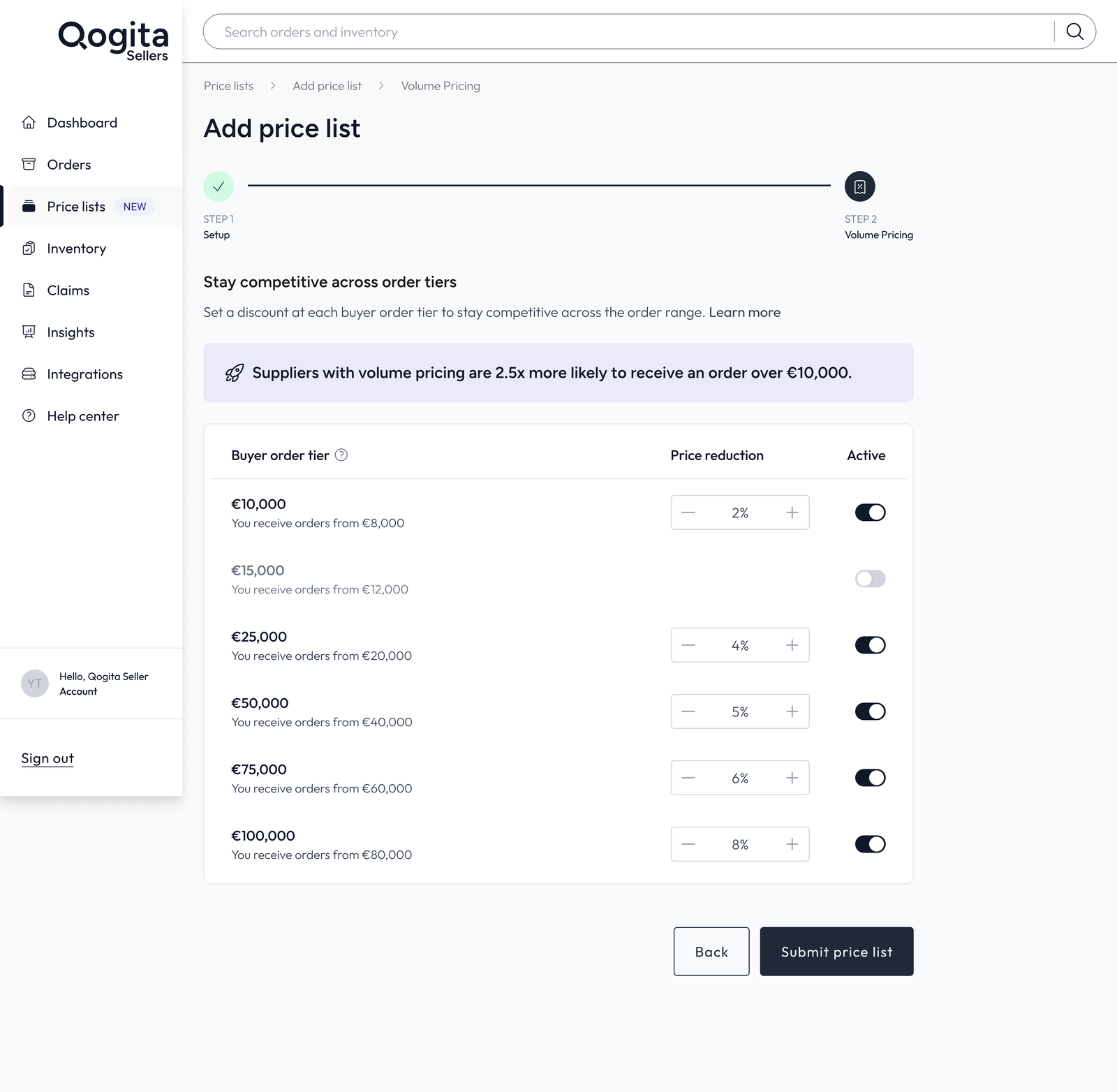
Qogita uses fixed buyer order tiers of €500, €1,500, €5,000, €10,000, €15,000, €25,000, €50,000, €75,000 and €100,000. When a buyer's order from your price list reaches a tier, the discount you set for that tier applies to everything from that price list in their basket. The buyer sees the lower price before checkout.
You can only set discounts on tiers above your minimum order value (MOV). For example, if your MOV is €10,000, you can set discounts at €15,000, €25,000, €50,000, €75,000 and €100,000. See Set your minimum order value.
You choose which tiers to switch on and the discount for each one. If you switch a tier off, buyers at that level pay your base price.
Set up bulk pricing on a new price list
- Go to Price Lists and click Add price list.
- Add your list details, upload your file and set your conditions. See Upload and manage your price list.
- Press Continue. Step 2, Volume pricing, opens with default discounts already filled in for every tier, based on what we usually see on Qogita.
- Change the percentages or switch tiers on or off.
- Submit the price list. You must finish this step before your price list goes live.
Add or change bulk pricing on an existing price list
You can add bulk pricing to a list that doesn't have it yet, and change it at any time as your plans change.
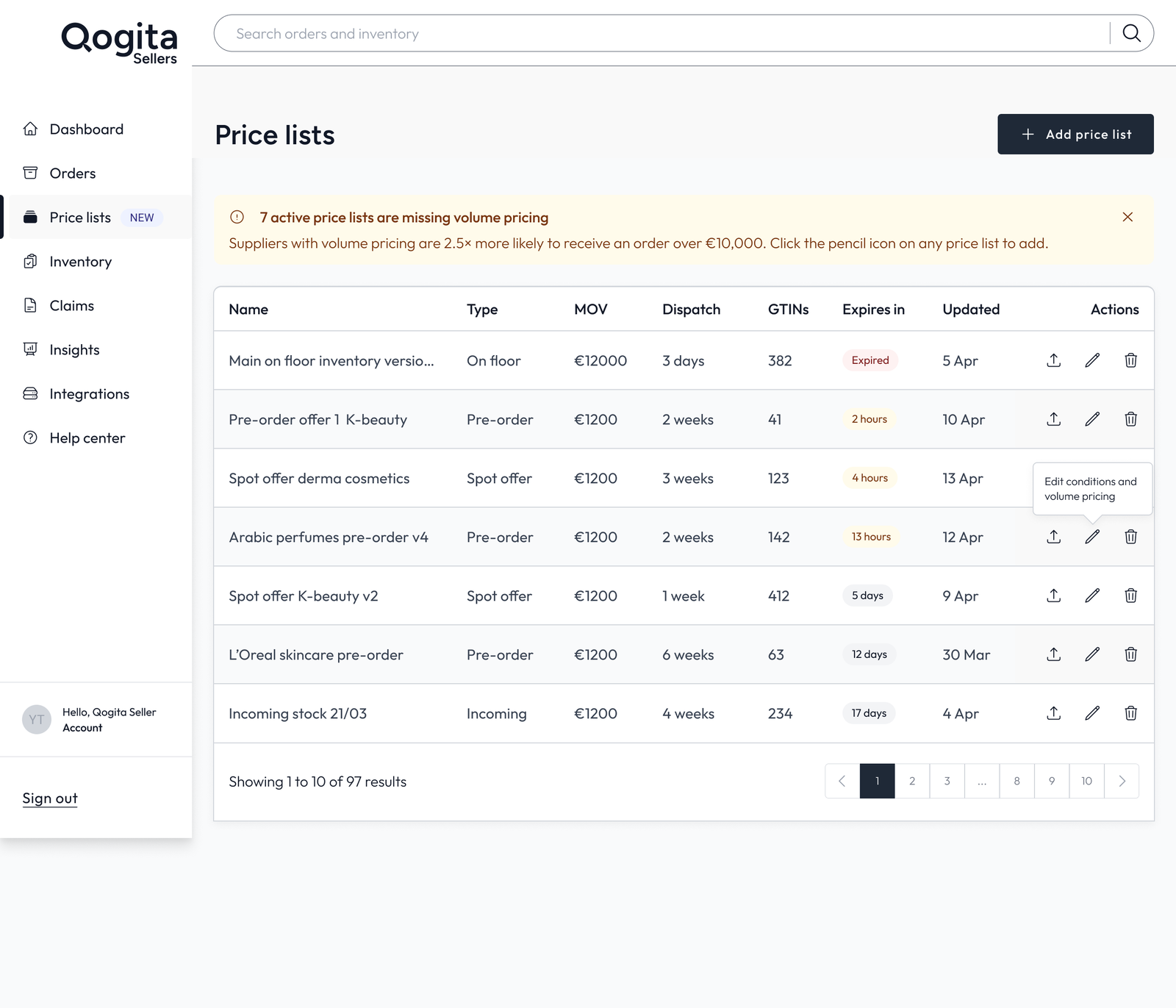
- Go to Price Lists.
- Click the pencil icon (Edit Conditions and Volume Pricing) on the list.
- Press Continue to open the volume pricing step.
- Change the discounts or switch tiers on or off, then submit the price list.
Changes apply to new orders only. Orders that buyers have already placed don't change.
Common questions
Next, learn how to sell stock before it arrives in Selling pre-orders.